
On this page
Coordinate an equipment-service visit by phone
A service company needs to call a site contact about an existing equipment-service request. The contact might want a technician visit, need dispatch immediately, ask to continue in Spanish, or be unable to arrange site access. The agent must handle those decisions and explain what actually completed.
This example uses an original synthetic company, contacts, endpoints and run results. The screenshots are captured from Studio with example data; they do not represent customer calls or carrier acceptance. Select an image to inspect it at full size.
Follow the complete outbound flow
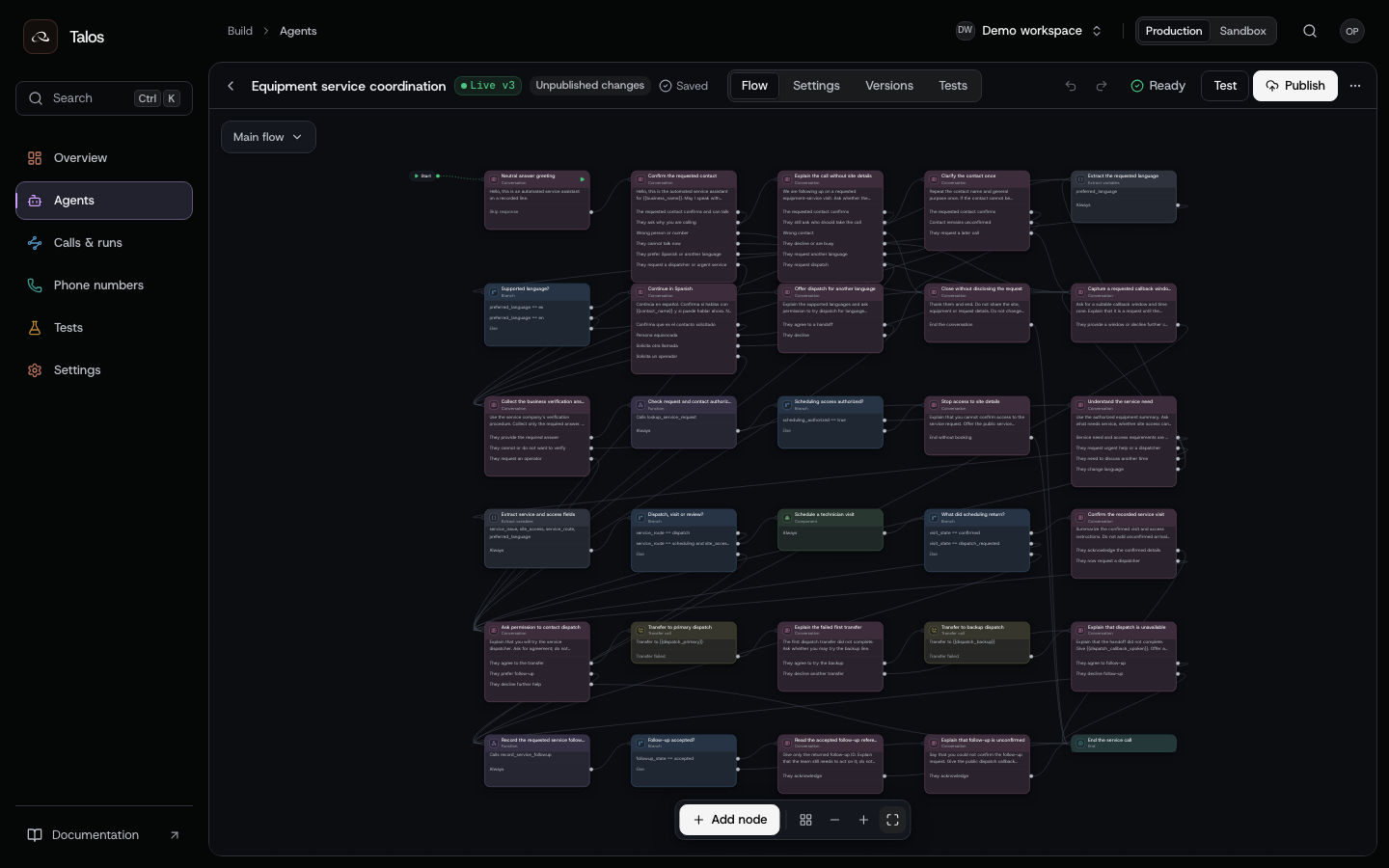
The main flow has 30 nodes. Its 10-node booking component contains availability, confirmation, reservation and exception handling. A contact can reach dispatch before booking, request dispatch while choosing a slot, or return to follow-up when scheduling or a transfer cannot complete.
| Stage | What happens | Result used by the next stage |
|---|---|---|
| Answer and contact routing | Start with a neutral greeting; identify the requested contact and whether they can talk | Continue, explain the purpose, change language, request a callback, or end |
| Business authorization | Check the contact's access with the service company's verification procedure | scheduling_authorized from the business response |
| Service discovery | Ask about the service need and technician access without diagnosing equipment | service_issue, site_access, service_route, preferred_language |
| Visit booking | Read slots, confirm the selected time and access instructions, then reserve | A confirmed visit_id, an exception, or a dispatch request |
| Dispatch | Ask permission, try the primary number, then offer the backup after a confirmed failure | A confirmed transfer, a failed transfer, or an uncertain result |
| Follow-up | Send the unresolved request to the service system | An accepted followup_id or an unconfirmed request |
Keep the booking component separate from contact and dispatch routing. An availability change then affects a small set of nodes, while the main flow still shows where a person goes when they decline, request help or encounter an exception.
Supply the context your service system knows
Use Start a run after publishing a test candidate and configuring its carrier trunk and caller ID. Replace version with the number returned by publication, the identifiers with your resources, and the phone numbers with numbers you own. Retain the request's Idempotency-Key. This request places a real phone call even with test: true.
{
  "channel": "phone",
  "agent_id": "equipment-service",
  "version": 3,
  "test": true,
  "to": "+14155550124",
  "from": "+14155550100",
  "dynamic_variables": {
    "business_name": "Acme Equipment Care",
    "contact_name": "Alex",
    "service_request_id": "SR-DEMO-24",
    "contact_reference": "CONTACT-DEMO-24",
    "call_reference": "CALL-DEMO-24",
    "timezone": "America/New_York",
    "preferred_language": "en",
    "dispatch_primary": "+14155550130",
    "dispatch_backup": "+14155550131",
    "dispatch_callback_spoken": "four one five, five five five, zero one three two"
  },
  "metadata": { "service_request_id": "SR-DEMO-24", "call_reference": "CALL-DEMO-24" }
}
The service request and contact reference come from your system. Assign call_reference before admission and store it with the returned run_id; your follow-up endpoint can use that reference to find the original run. Phone numbers for dispatch come from configuration; the model should not infer a transfer destination from a caller's suggestion. Metadata helps correlate the run with the service request. It does not authorize access to that request.
Handle contact changes without exposing site details
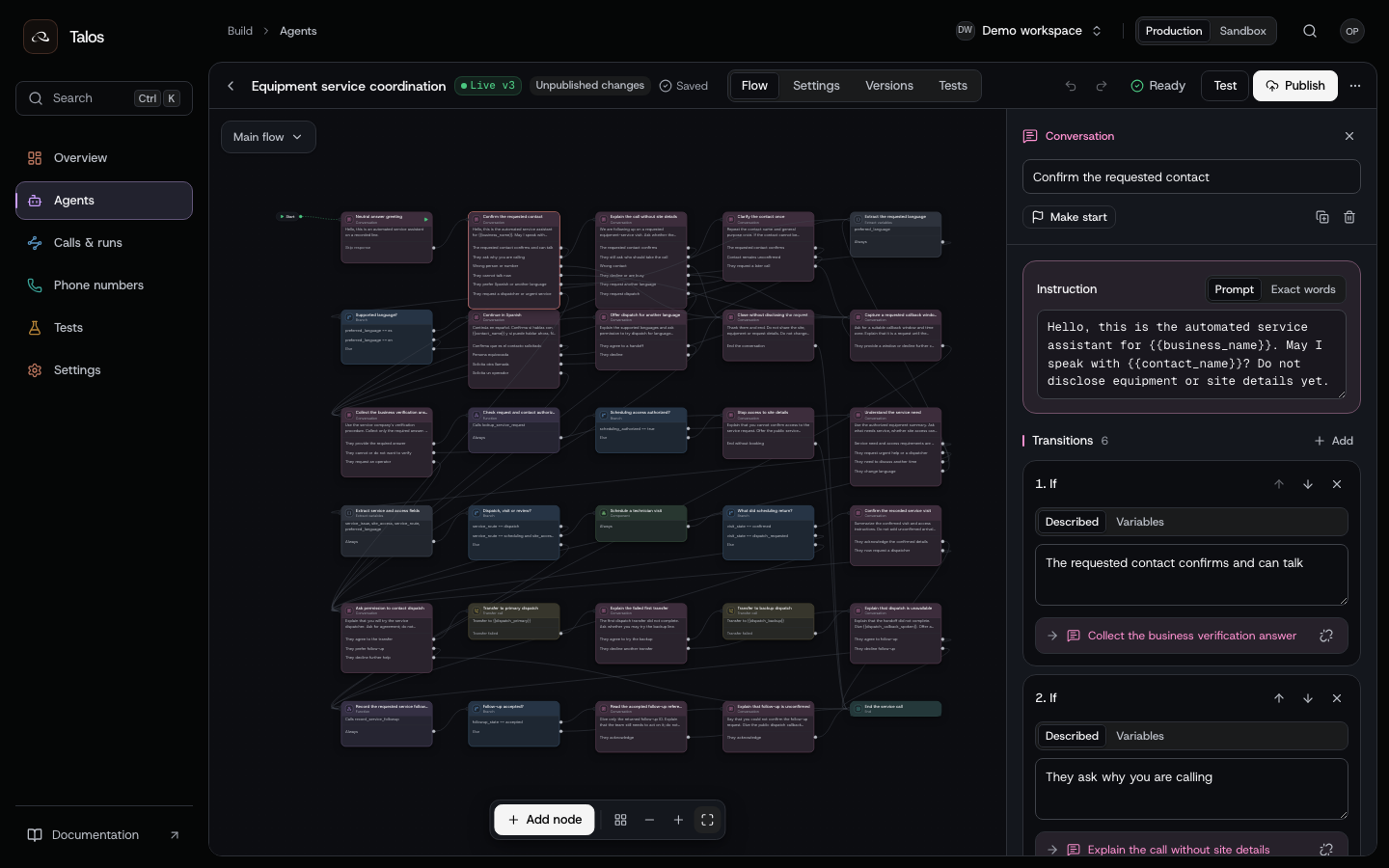
The first contact question has six routes. “Why are you calling?” leads to a general explanation. “This is the wrong number” ends without equipment or site details. “Call me later” captures a callback request and asks the service system to accept it. The agent can also offer dispatch without first revealing the service record.
The explanation path includes one further clarification. If the contact still cannot be confirmed, it closes. This gives repeated questions a defined path instead of making the opening node repeat indefinitely.
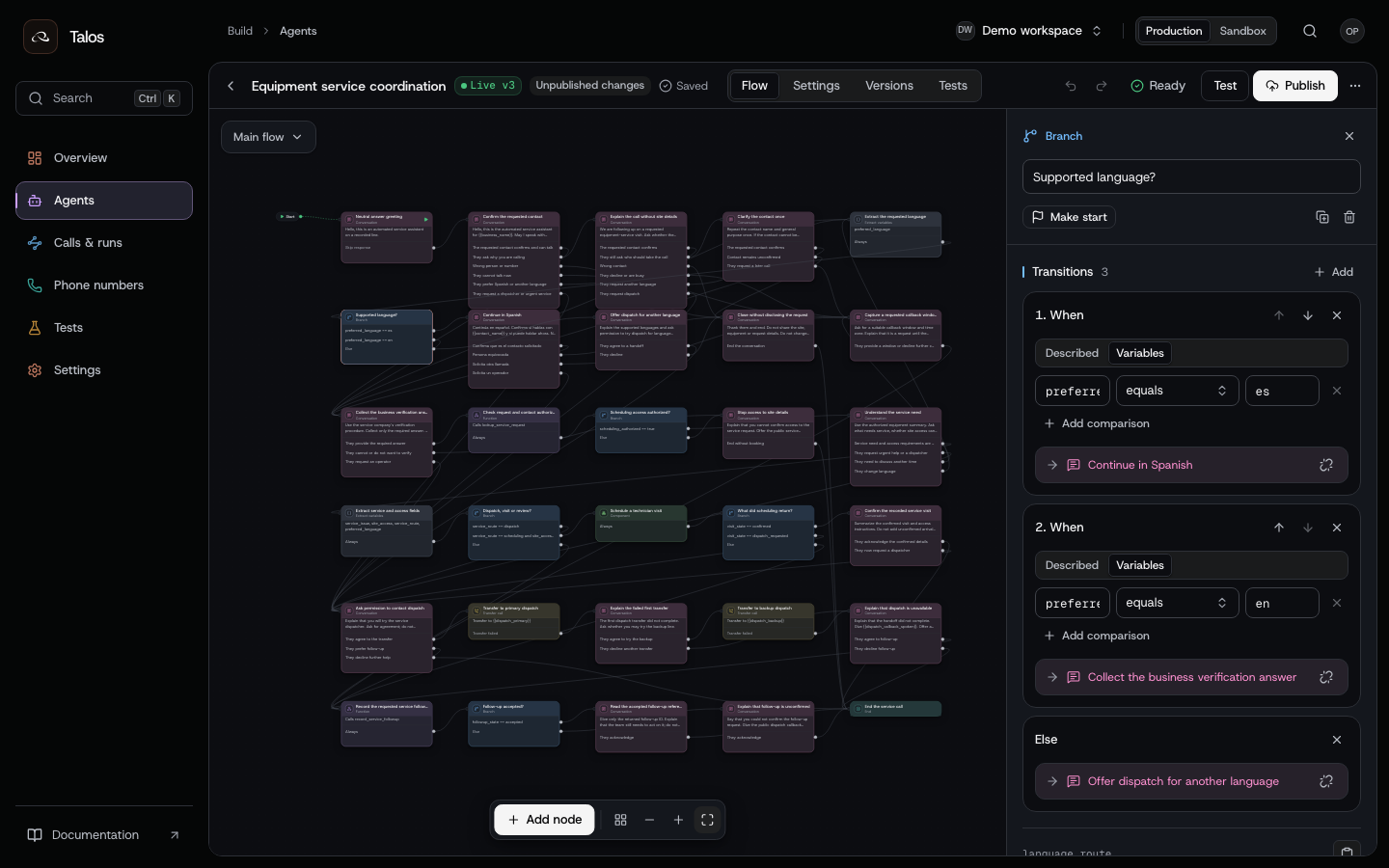
Enable English and Spanish on the agent. Extract the person's requested language, then branch on preferred_language. The Spanish introduction confirms the contact in Spanish; unsupported languages lead to an offer of dispatch assistance. Test language changes in the middle of a conversation as well as at the opening.
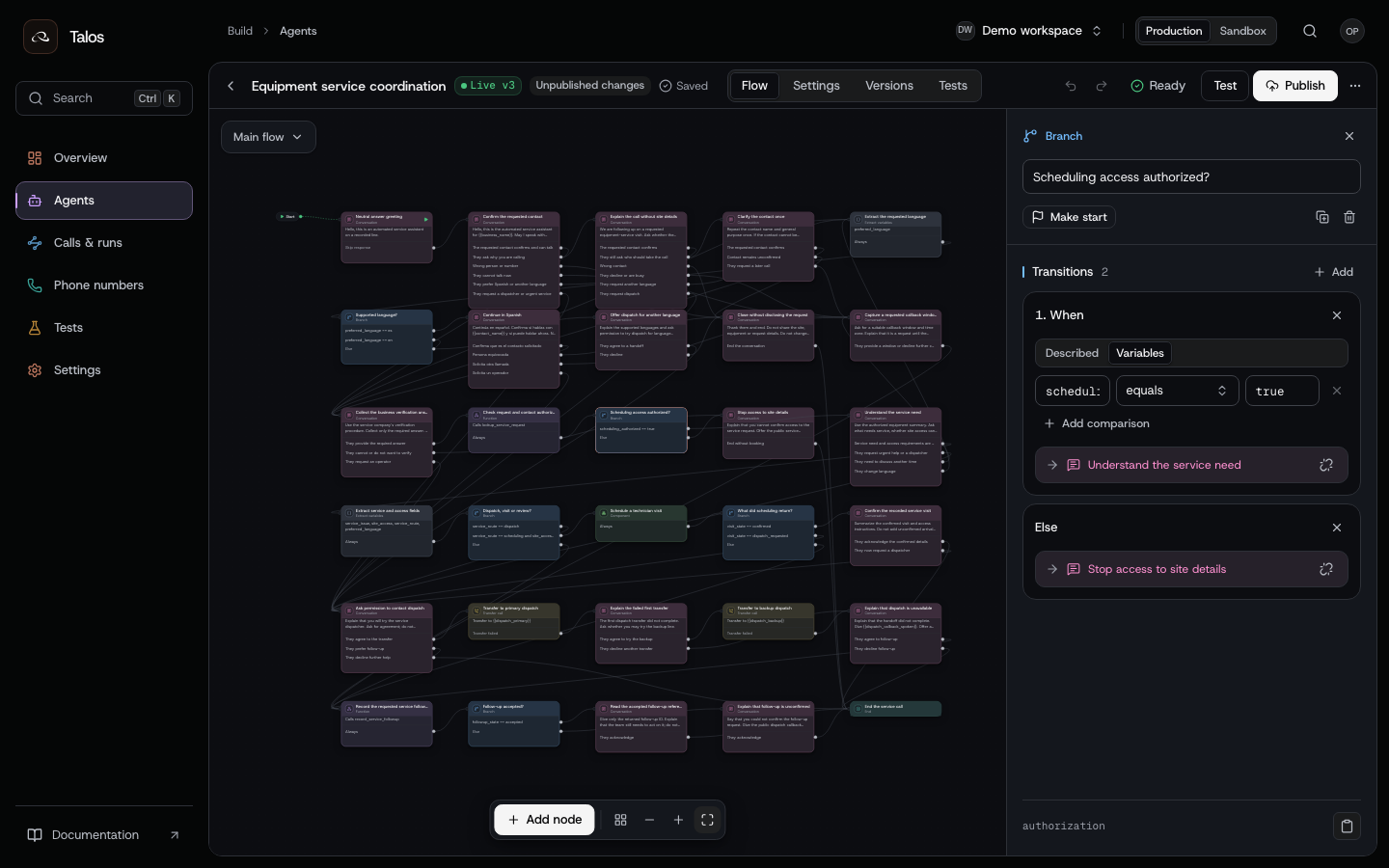
lookup_service_request checks the contact using your verification procedure. Map its authorized response to scheduling_authorized. Only the true branch reaches service discovery; the default route stops disclosure and provides the public service number. Confirming a name is not sufficient authorization by itself.
Extract fields, then route on defined values
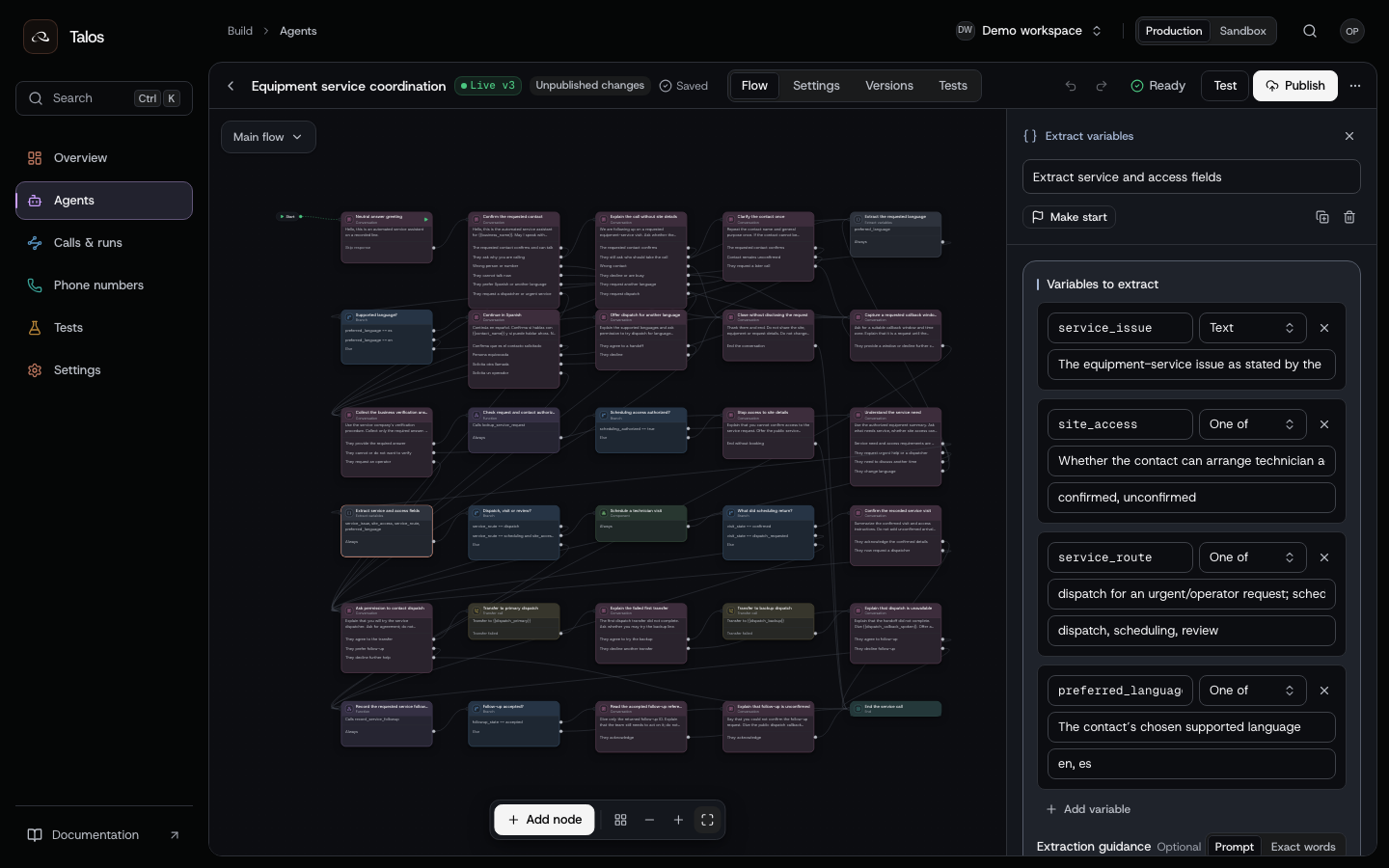
Use a short set of fields with a decision attached to each one. service_issue records what the contact said. site_access distinguishes confirmed access from unconfirmed access. service_route is dispatch, scheduling or review. The agent coordinates service; it does not diagnose faults or give repair instructions.
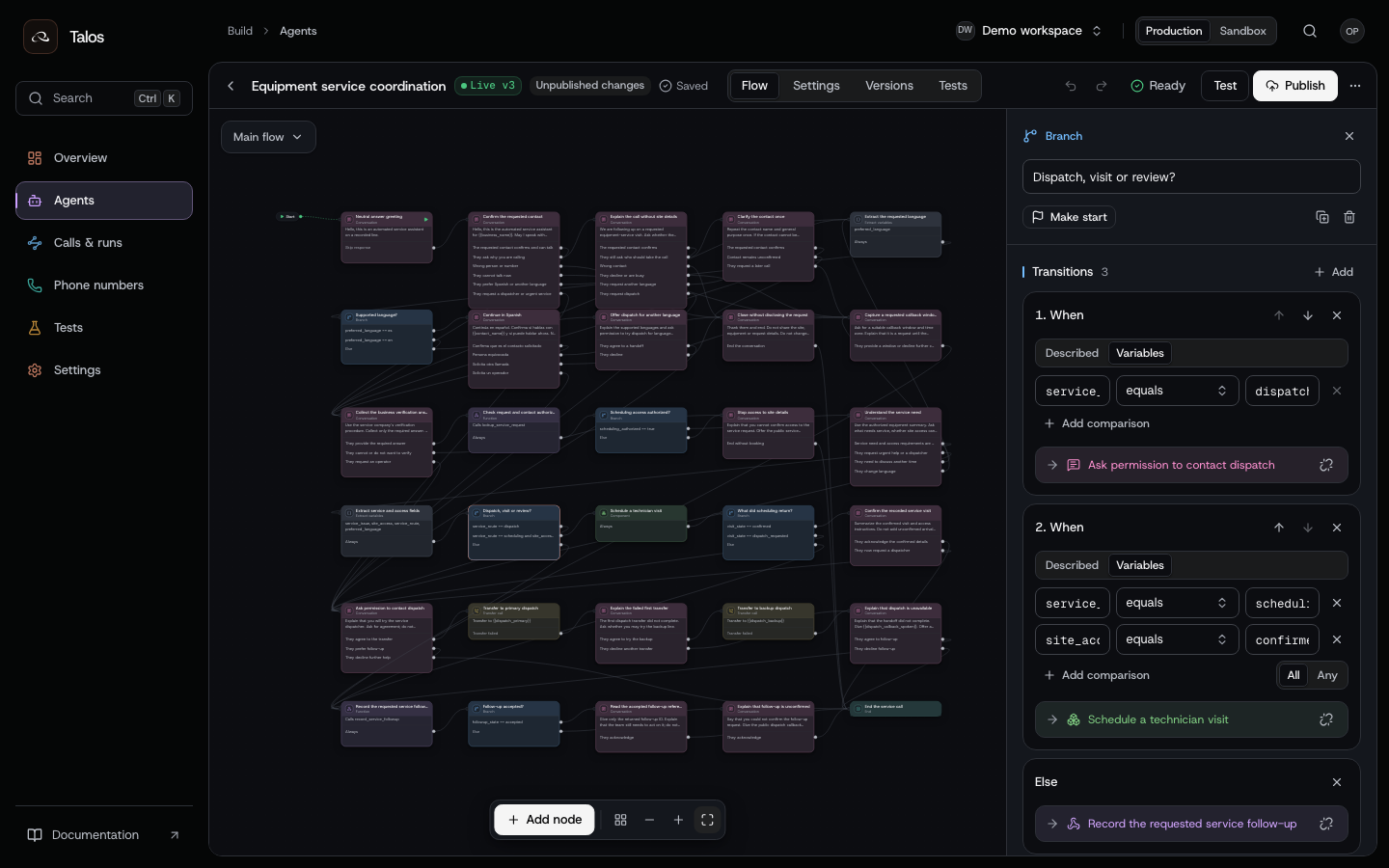
The scheduling edge requires both service_route == scheduling and site_access == confirmed. A dispatch request takes its own edge. Everything else reaches follow-up. An equation branch evaluates the current values; extraction and conversation conditions still need tests to establish that the model produced the right values.
Connect four business actions
These are example contracts for endpoints your team implements, not built-in Cumulus scheduling APIs. Add each as a named HTTP action and bind its response fields to the variables used by the flow.
| Action | Required input | Example response and binding |
|---|---|---|
lookup_service_request | Request ID, known contact reference, verification answer | { "authorized": true, "equipment_summary": "Loading-bay equipment" }; map scheduling_authorized to $.authorized |
find_service_slots | Authorized request ID, IANA time zone | { "state": "available", "slots": [{ "slot_id": "SLOT-DEMO-24", "starts_at": "2026-10-08T13:00:00-04:00" }] }; map slots_state to $.state and available_slots to $.slots |
reserve_service_visit | Request ID, explicitly confirmed slot ID, agreed site-access notes | { "state": "confirmed", "visit_id": "VISIT-DEMO-24" }; map visit_state to $.state and visit_id to $.visit_id |
record_service_followup | Request ID, reason, preferred language, business call reference | { "state": "accepted", "followup_id": "FOLLOWUP-DEMO-24" }; map followup_state to $.state and followup_id to $.followup_id |
The business endpoints must enforce authorization and validate their inputs. The reservation endpoint rechecks availability when it commits and honors the effect's idempotency key. Store the run ID with your business reference so an operator can reconcile a timeout or an unclear response.
Use Edit a draft with action.put to declare the endpoint, input/output schemas, pinned credential and response bindings. The downloadable authoring request template contains all 40 nodes, the booking component, actions, response mappings, settings and canvas layout. It uses the same example configuration shown in the screenshots.
Start from a new phone agent and retrieve its draft. Replace the template's draft_id, expected_revision, example URLs and secret reference. Prepend node.remove edits for that new agent's existing starter nodes, using their IDs from the draft, so they do not remain as disconnected nodes. Apply the template once; its node.create and component.create edits require IDs that do not already exist. The template configures the draft; it does not publish or dial. Use Validate a draft to check the configured model, voice, credentials and telephony, then Publish a version with live: false. Test the returned version and promote it after acceptance.
Confirm a visit before requesting the reservation
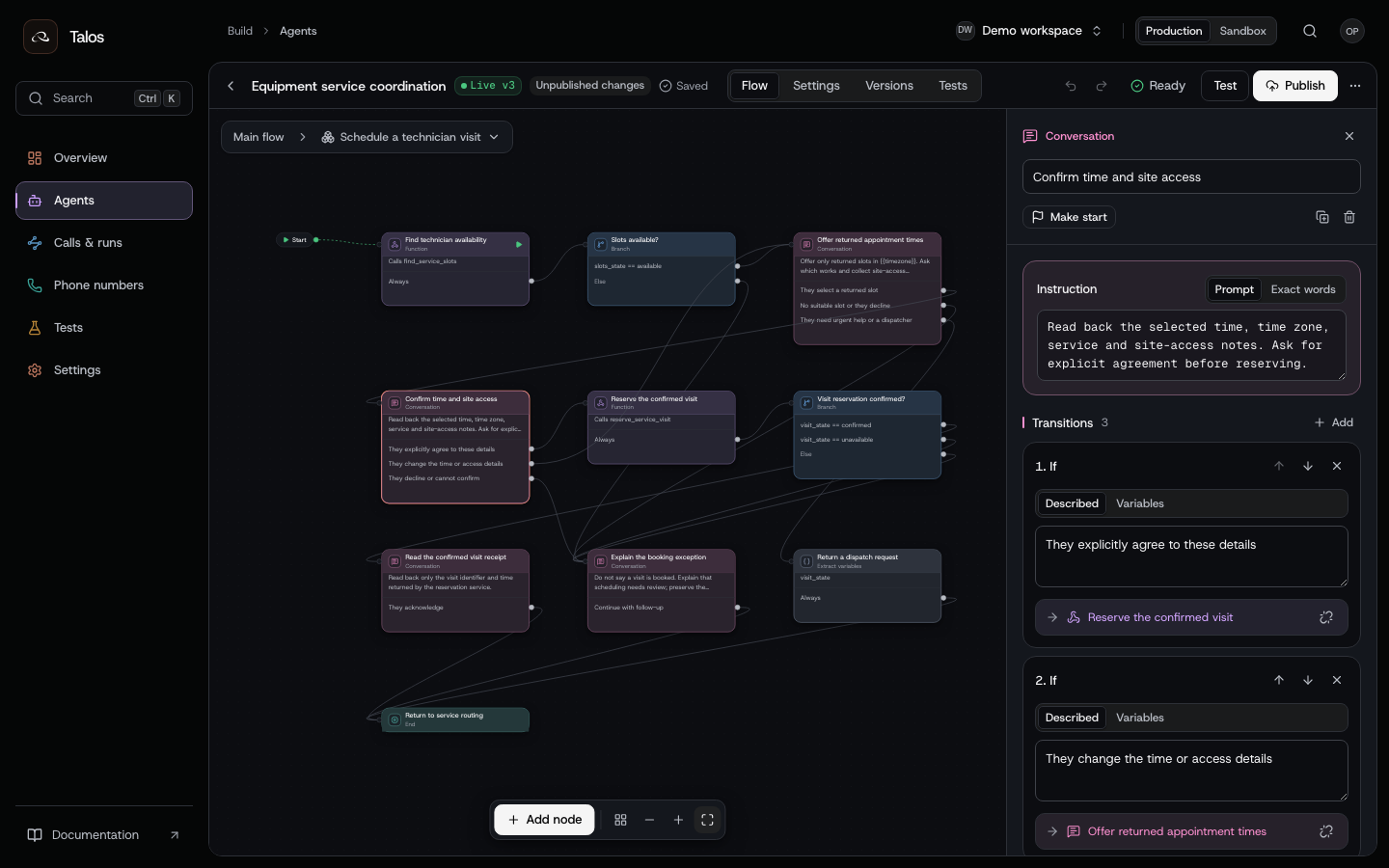
Offer only slots returned by find_service_slots. Read back the selected time, time zone, service and access instructions. The “explicitly agree” transition is the only conversation route to reserve_service_visit. A correction returns to slot selection; a refusal goes to booking review.
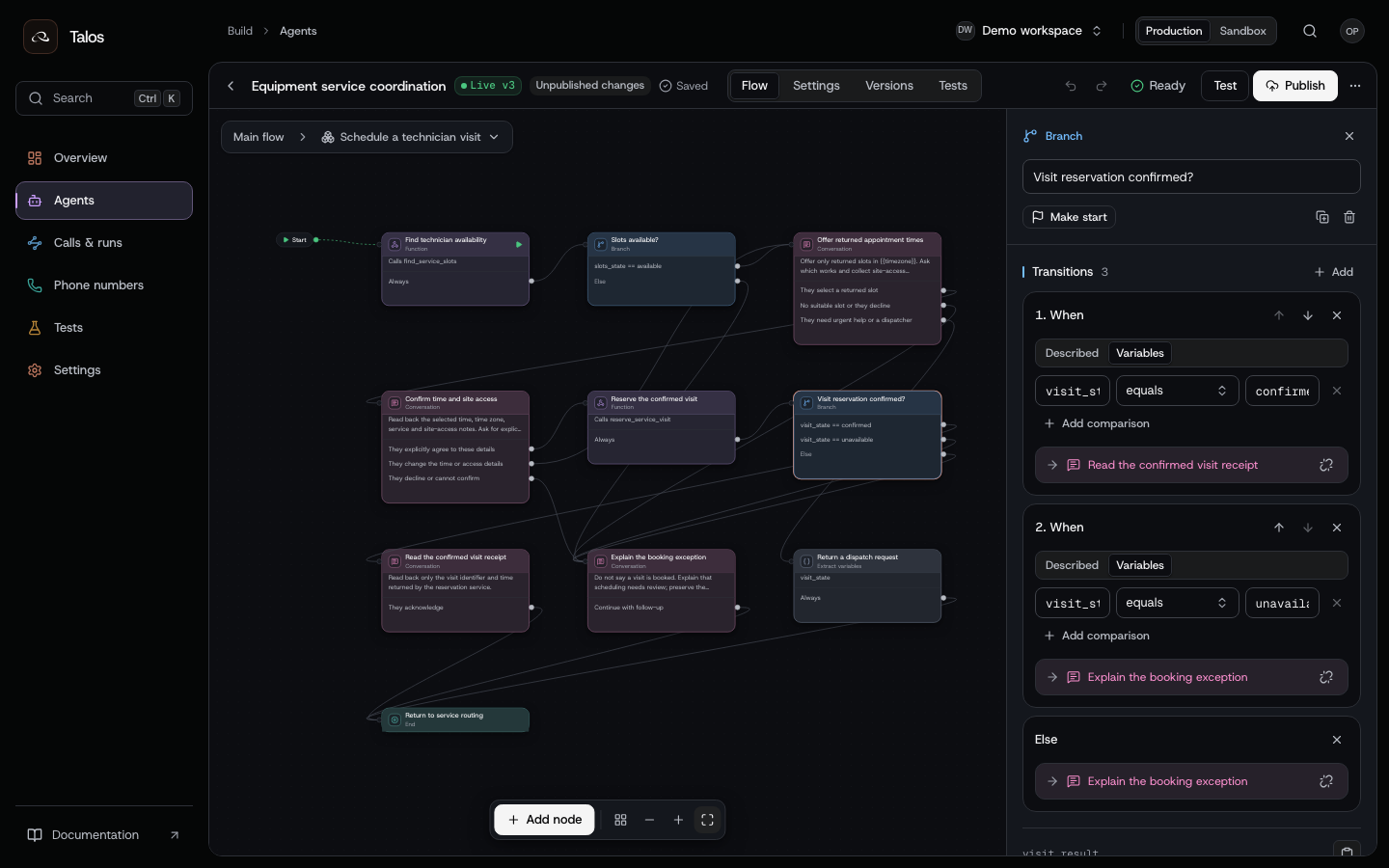
The reservation response determines the next step. confirmed reaches the receipt readback. unavailable and any other unconfirmed value reach review. Initialize visit_state to not_reserved in the draft so a fresh run cannot begin with a success value.
A timeout is not an unavailable slot. Inspect the action's effect state and reconcile an uncertain write with the service system before another reservation attempt. Test the configured failure behavior as well as ordinary non-confirmed responses; an HTTP error or lost response need not look like the example's successful JSON review response.
If the contact asks for dispatch while choosing a time, the component extracts visit_state = dispatch_requested and returns to the main graph's dispatch route. It does not create a reservation first.
Make transfer failures visible in the conversation
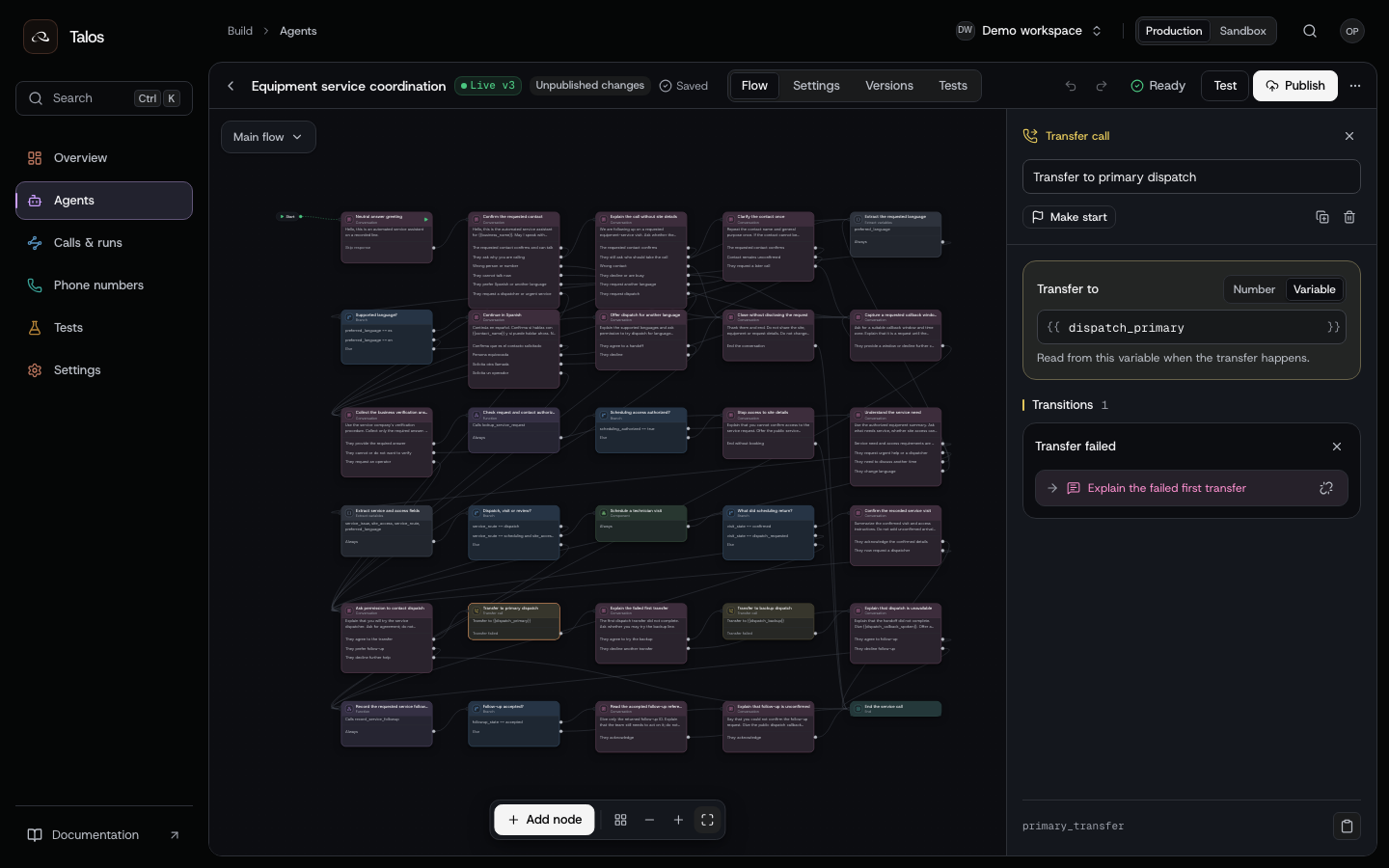
Ask permission, then transfer to {{dispatch_primary}}. A confirmed failure reaches the backup introduction. Ask again before trying {{dispatch_backup}}. Each transfer is a separate governed effect with its own node and receipt.
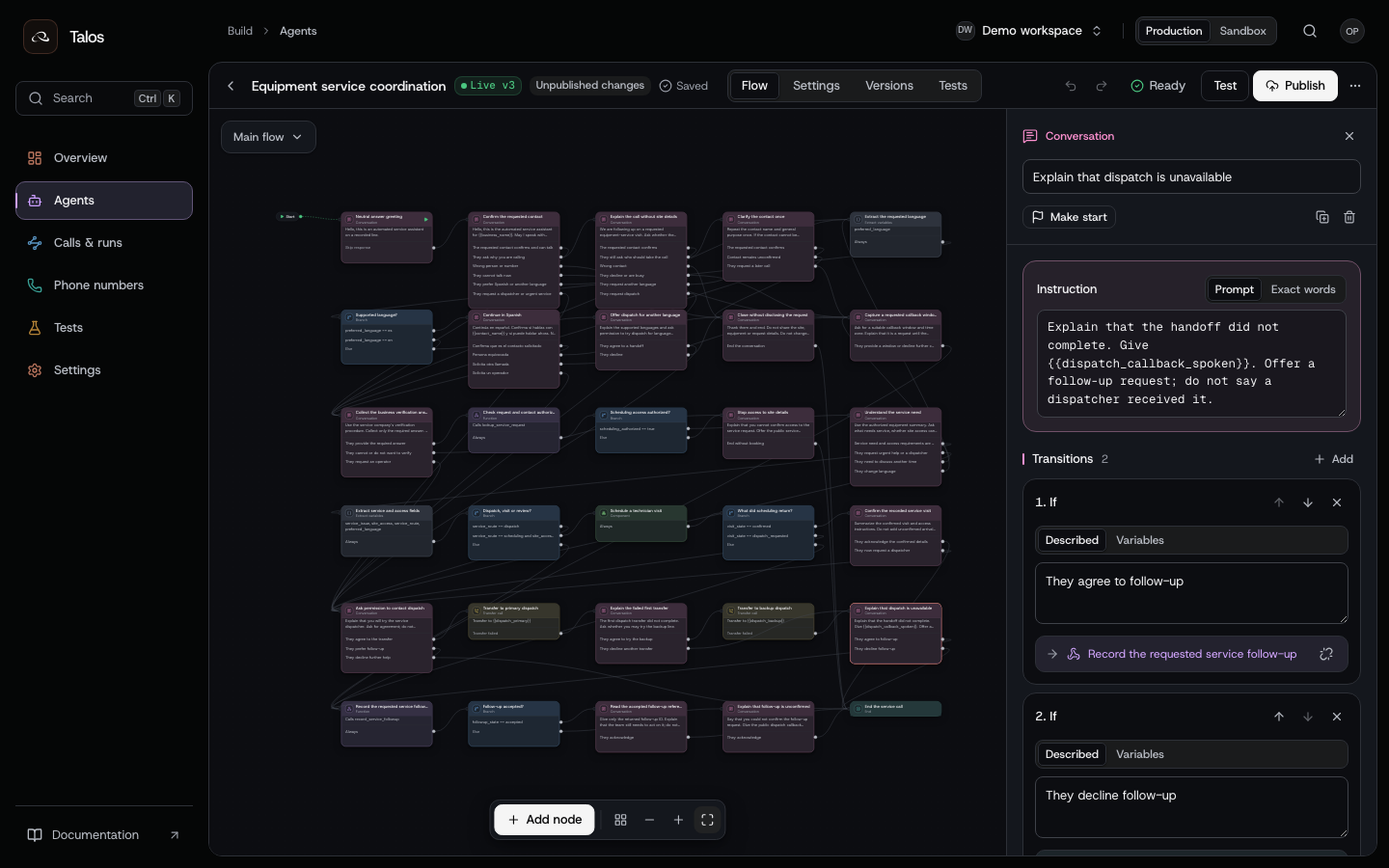
When both transfers fail, say that the handoff did not complete, give the public callback number, and offer a follow-up request. The agent reports a saved follow-up only after the business endpoint returns accepted. The default follow-up result explains that the request remains unconfirmed.
An uncertain transfer needs reconciliation, not an automatic second transfer. refer_accepted means the carrier accepted the transfer request; inspect the final phone.transfer phase and the call.transfer receipt to determine whether the handoff was confirmed. See Investigate a run.
Set answer, screening and voicemail behavior
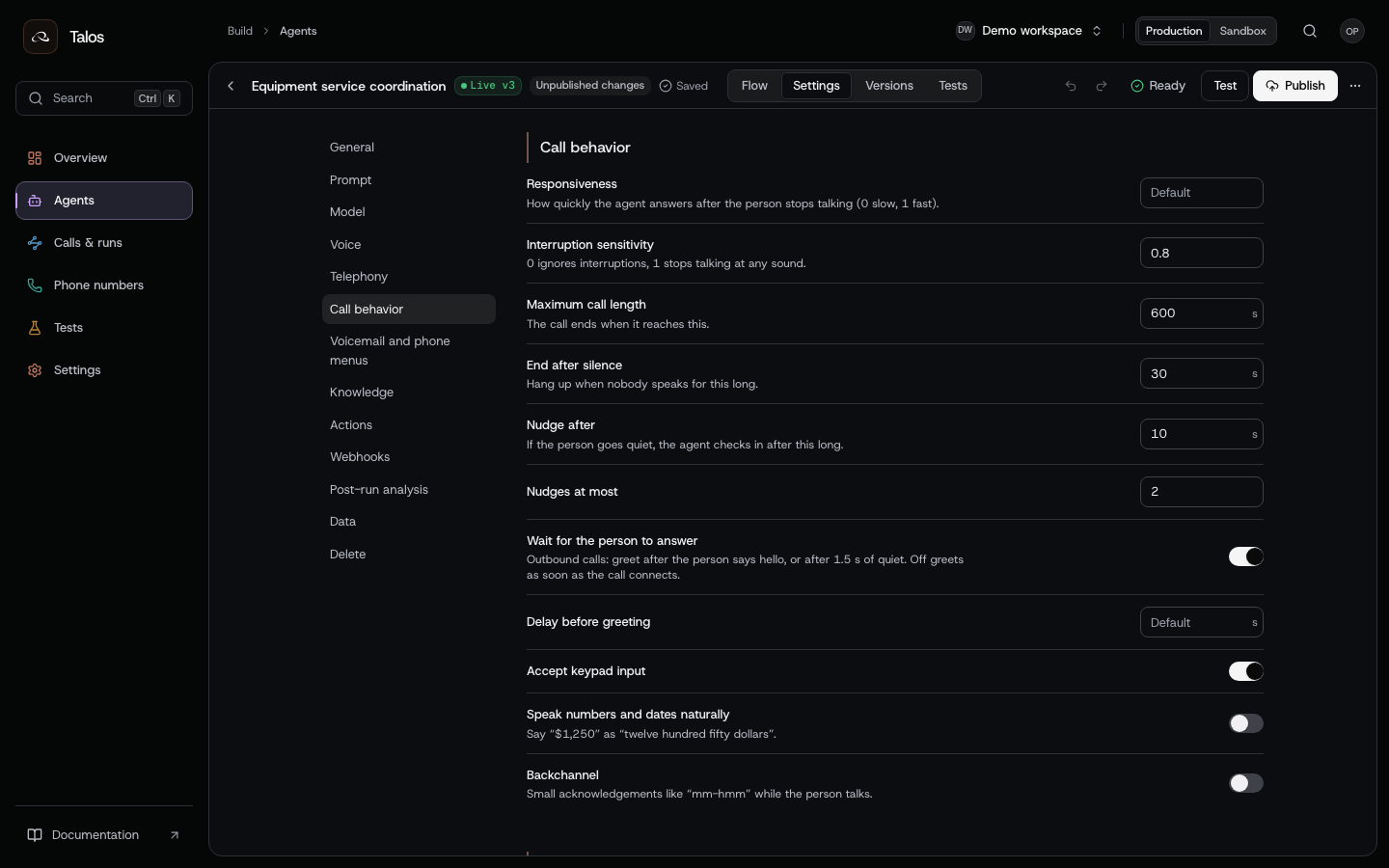
The example waits for the person to answer, limits the call to ten minutes and ends after thirty seconds of silence. Start with a neutral fixed greeting when hang-up detection is enabled, then ask for the contact after human detection. Test interruptions during the time readback and dispatch permission question.
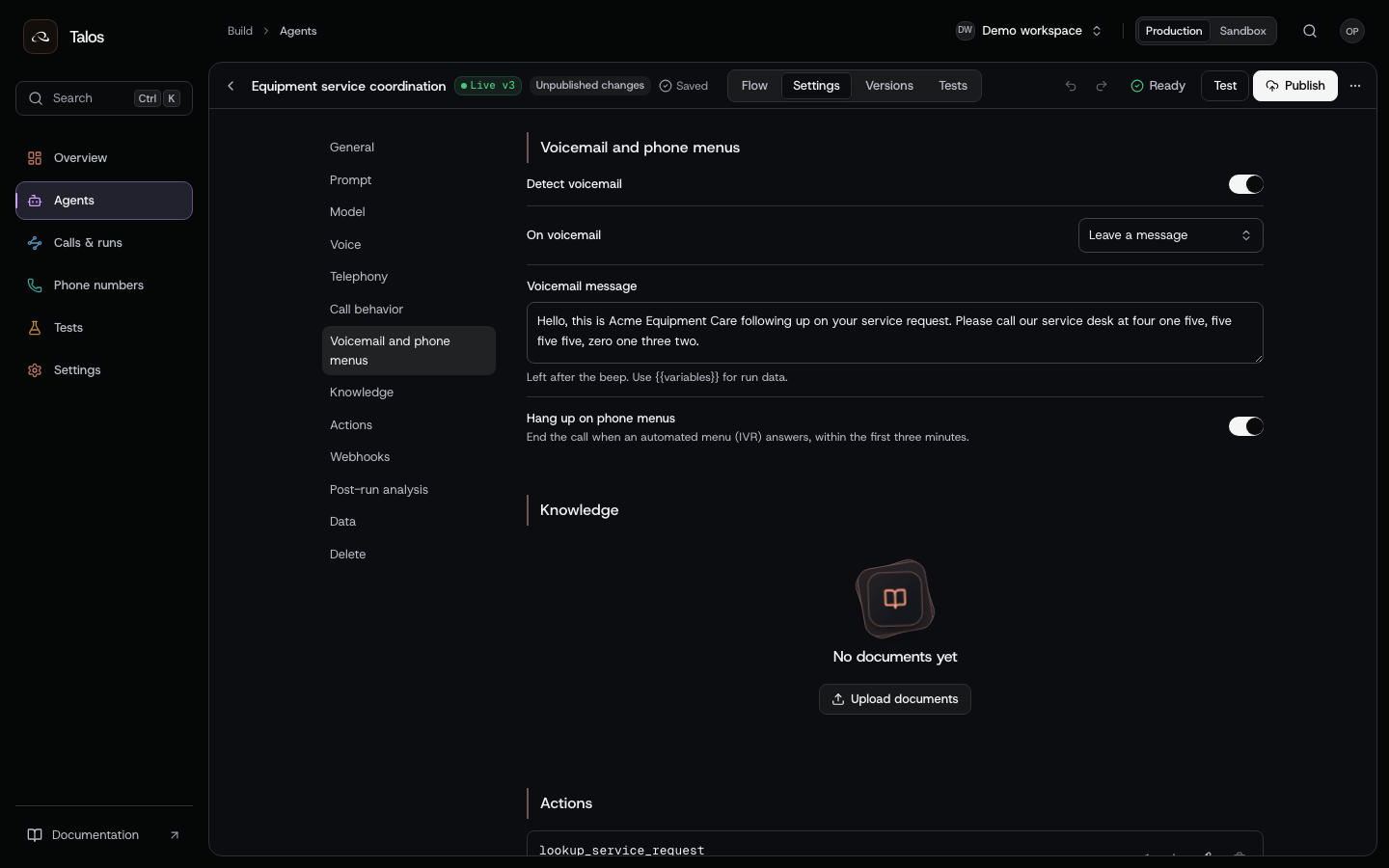
Voicemail leaves a general service message with a callback number. Phone-menu detection hangs up. The template also configures call screening through agent.settings: a screening assistant receives a short service-purpose line in English or Spanish, followed by a twenty-second wait for the contact.
{
  "type": "agent.settings",
  "values": {
    "screener": {
      "action": "play_line",
      "waitMs": 20000,
      "line": {
        "en": "Acme Equipment Care is following up on a requested service visit.",
        "es": "Acme Equipment Care llama sobre una visita de servicio solicitada."
      }
    }
  },
  "clear": []
}
Include this edit in a draft-edit request. Test voicemail, phone menus and screening using the actual audio/carrier path. Phone explains configuration and detection behavior.
Read the two dispatch outcomes
The following run views use constructed events and receipts to demonstrate review. They show what evidence to look for when testing your integration.
First transfer fails; backup is confirmed
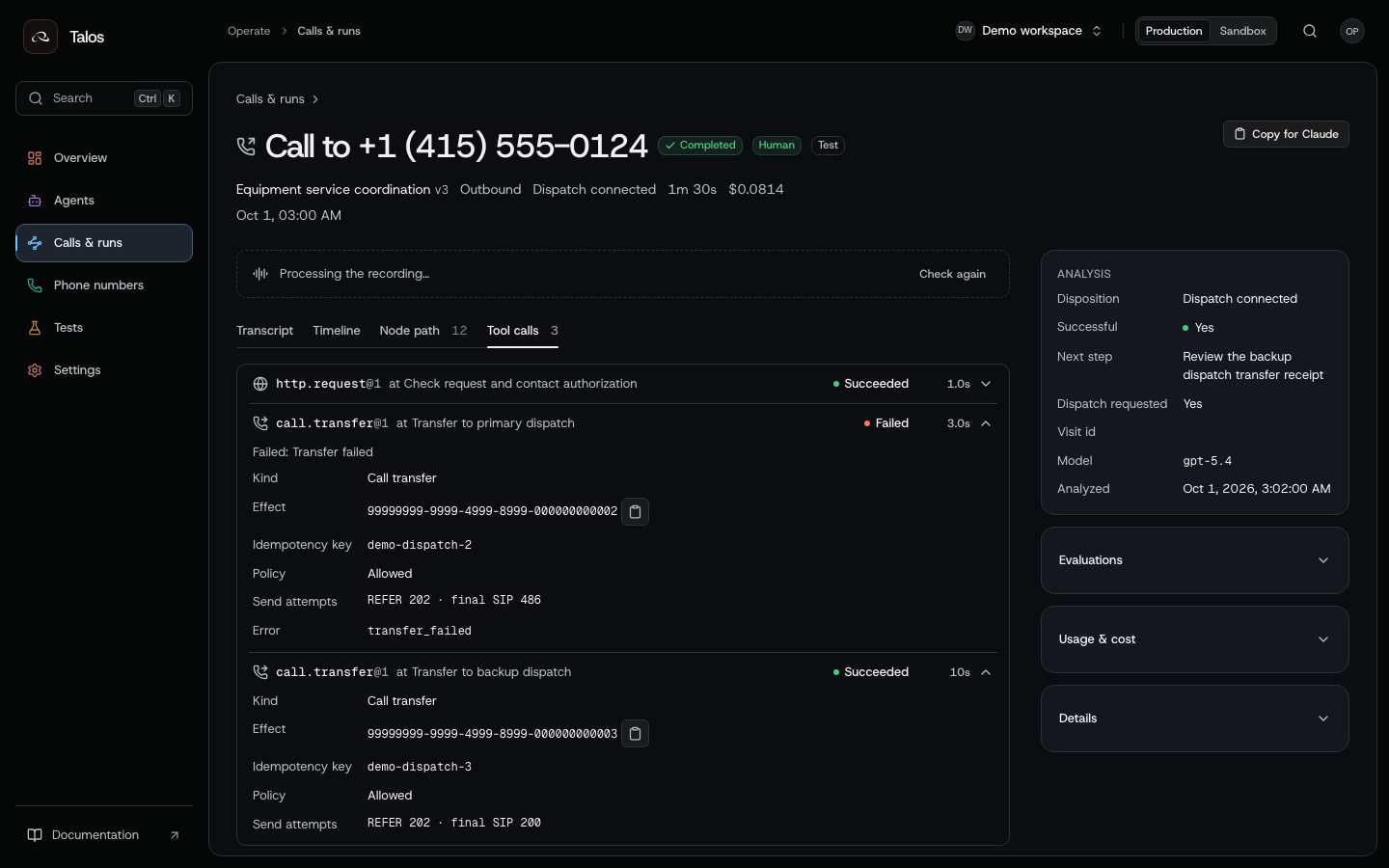
The primary effect is failed, with REFER 202 and final SIP 486. The backup is succeeded, with final SIP 200. The model saying “I will connect you” is not the confirmation; the settled effect and final transfer event are the evidence.
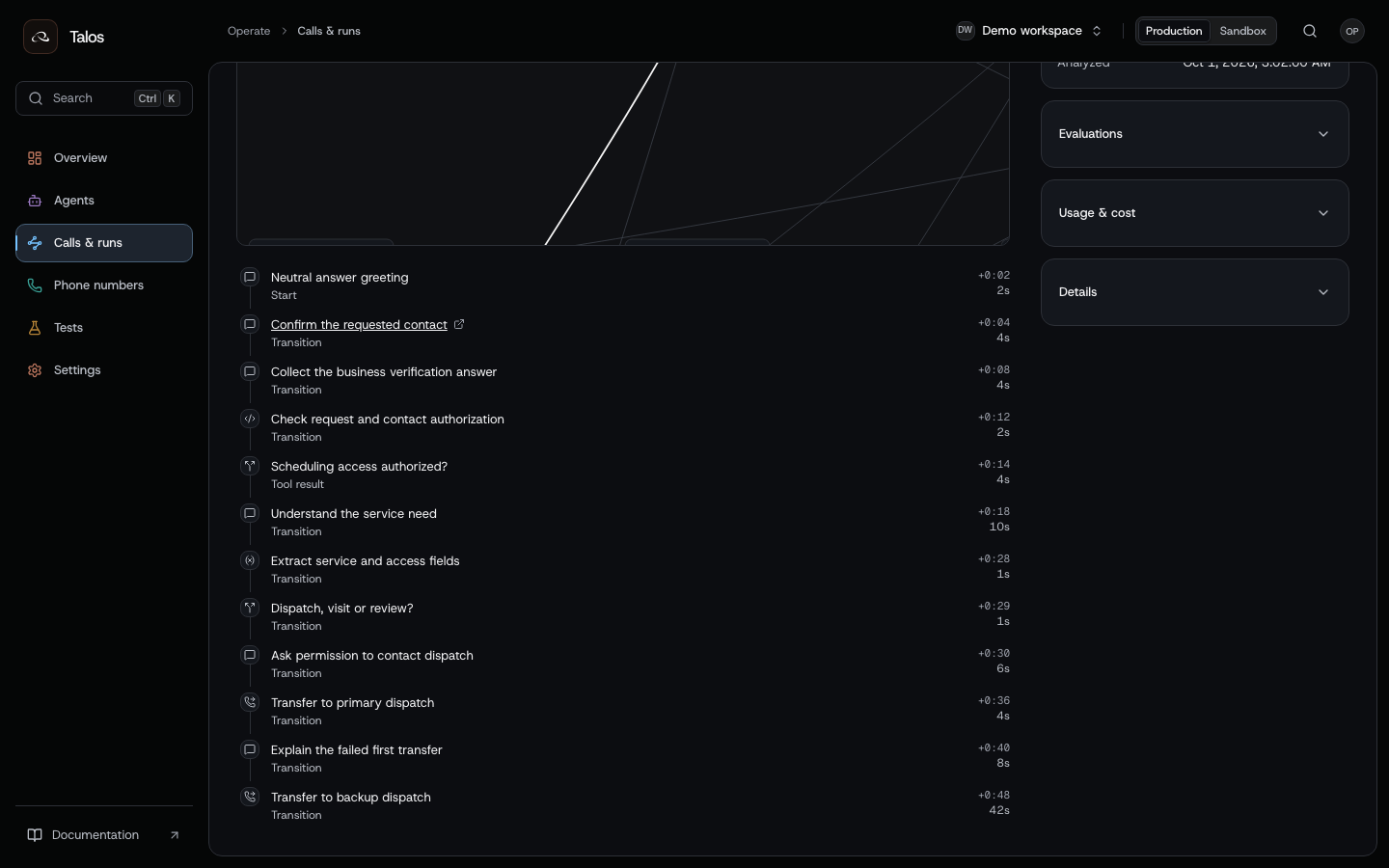
The node path reaches primary_transfer, backup_intro and backup_transfer. Match those node IDs with the effects, and confirm the run's publication identity before comparing it to a newer draft.
Both transfers fail; follow-up is accepted
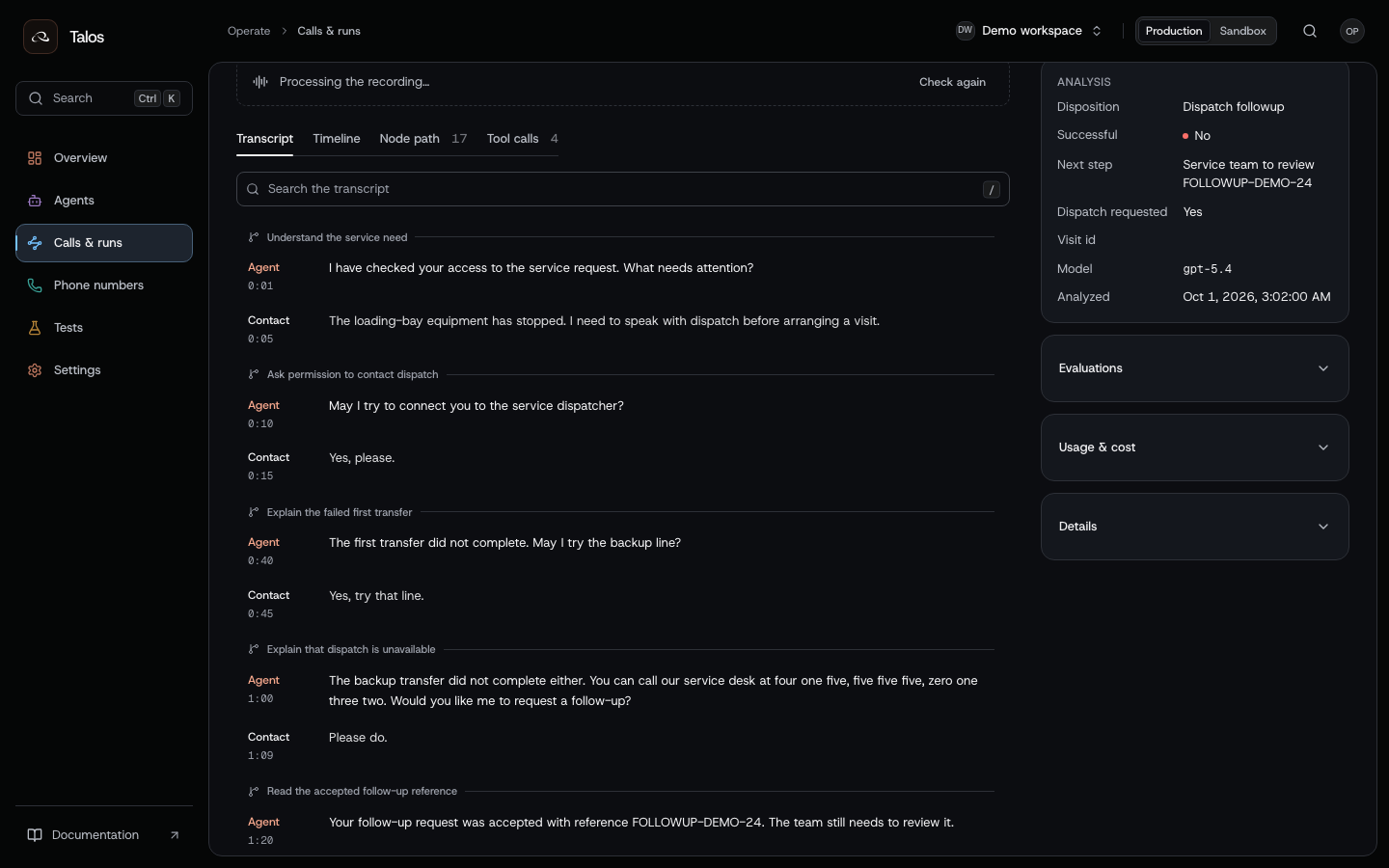
The agent explains the failed handoff and asks whether the contact wants follow-up. After the service endpoint accepts the request, it gives FOLLOWUP-DEMO-24. An accepted request still needs the service team's attention; it is not a completed dispatch conversation or a technician appointment.
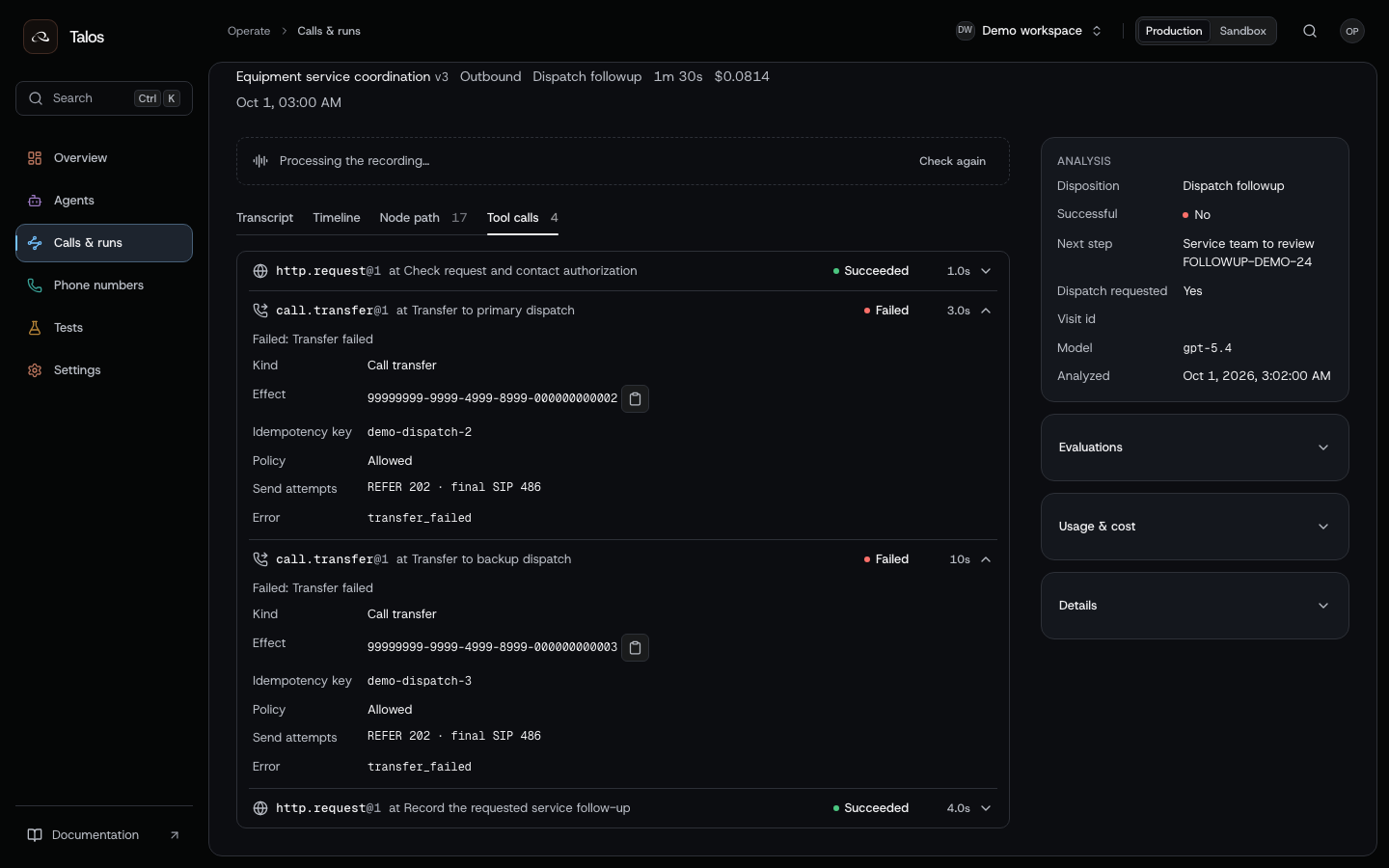
Inspect both transfer effects and the follow-up action separately. An HTTP 200 confirms the response was received; the response's business state and reference determine whether the service system accepted the follow-up.
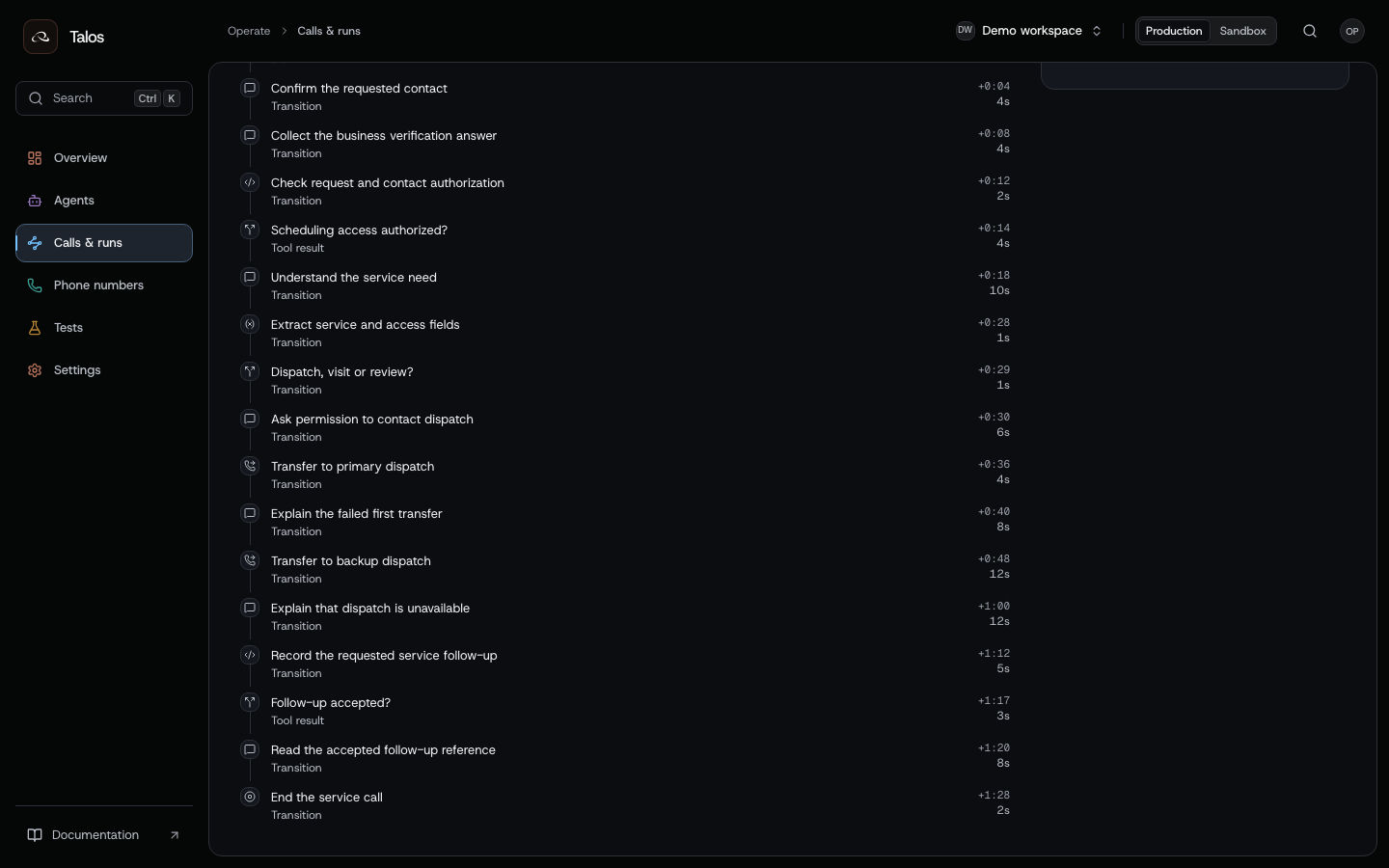
The path continues through fallback, followup, followup_result, followup_saved and bye. If the business result is missing or uncertain, the run should not claim the follow-up was saved.
Test the routes before calling real contacts
| Scenario | What the test must establish |
|---|---|
| Wrong contact; repeated questions about the call | No site disclosure; the clarification path ends when contact remains unconfirmed |
| Contact asks for a callback | A requested window is recorded only when the service system accepts it |
| Spanish requested at the opening or during discovery | The correct language route and retained service context |
| Unsupported language | Assistance is offered without inventing language support |
| Verification denied or unavailable | No service discovery or booking write |
| Site access unconfirmed | The scheduling component is not entered |
| Contact requests urgent help or a dispatcher | Permission is requested before the configured transfer |
| Selected slot changes or is declined | No reservation of the previously proposed slot |
| Slot becomes unavailable at commit time | No appointment confirmation; review receives the proposed slot |
| Reservation is uncertain | Reconcile by run/effect/business reference before another write |
| Primary fails; backup succeeds | Two distinct effects; only the backup has a confirmed transfer result |
| Both transfers fail | Spoken fallback; no claim of a connected dispatcher |
| Transfer result is uncertain | No blind replay or automatic backup transfer |
| Follow-up accepted, rejected or uncertain | The spoken result matches the business response and effect state |
| Voicemail, phone menu and call screening | Correct audio behavior with no request-specific site disclosure |
Use regression tests for conversation cases, node/path assertions and action mocks. Validate your business contracts and carrier transfers separately. Start with simulations, then call numbers you own. Keep the tested publication version fixed when comparing outcomes.
For the publication and promotion sequence, follow Release and operate an agent. For background processing of an unresolved service request, continue with After-call operations.