
On this page
Build a branching support agent
Build a billing-support agent that verifies the caller, looks up account data, routes the request and escalates when it cannot resolve the issue. This guide covers the main flow, an HTTP action and a reusable refund-review component.
The screenshots show Studio with synthetic account data and results. Your team supplies the account service and business rules. Select any screenshot to open it at full size.
Map the decisions
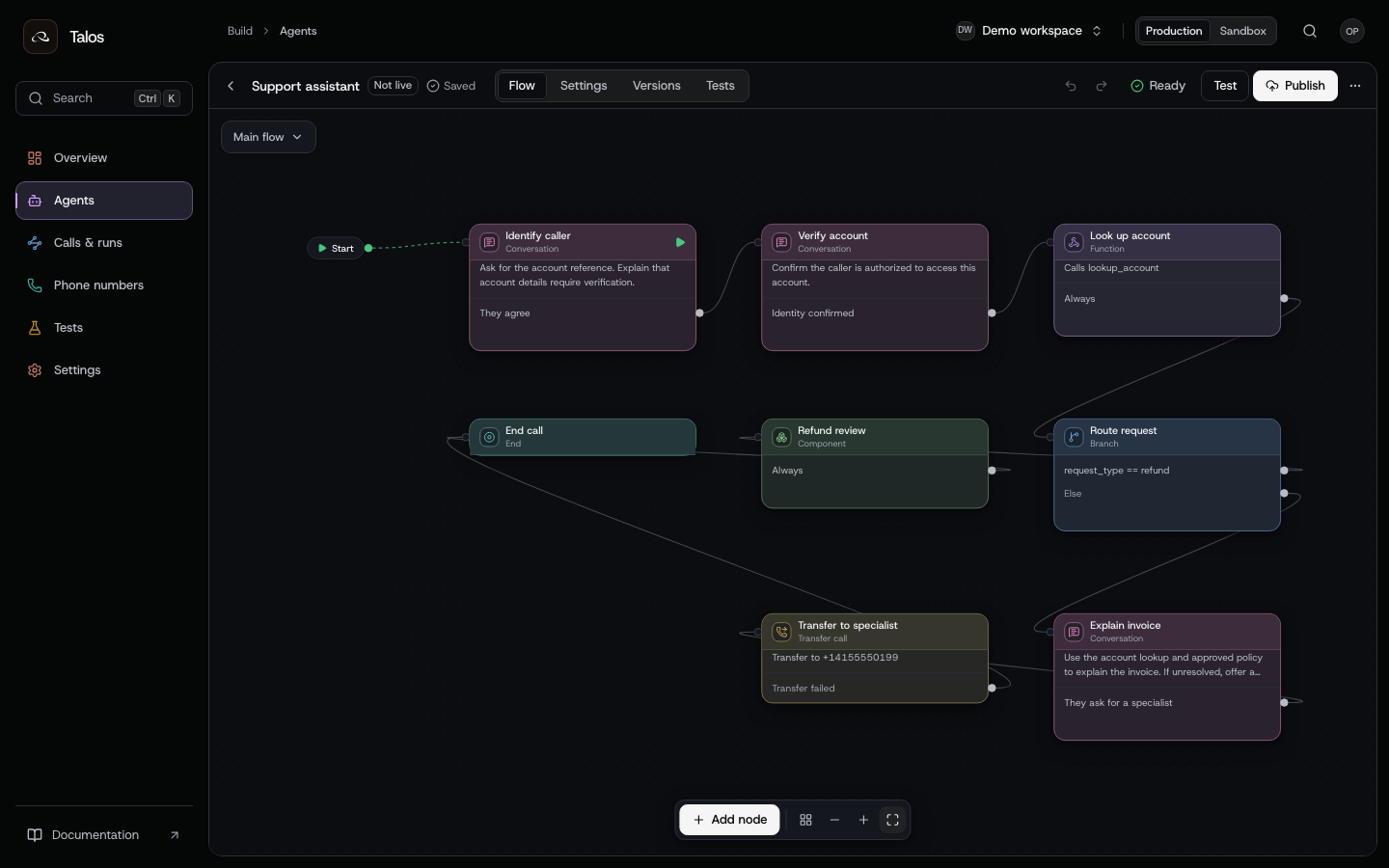
The main flow makes the conversation's decision points visible. The refund review is a component with its own graph.
| Step | What you configure | What to check |
|---|---|---|
| Identify caller | Ask for the account reference and explain the purpose | Do not disclose account details before verification |
| Verify account | A conversation node and a transition for confirmed identity | Cover refusal, wrong person and ambiguous answers in tests |
| Look up account | A function node bound to your HTTP action | Validate the input and response schemas; define timeout and uncertainty behavior |
| Route request | A branch with conditions on variables | Make the default path explicit; missing variables must have a defined outcome |
| Refund review | A reusable component | Review eligibility before promising an outcome |
| Explain invoice | Instructions using the returned account facts and approved policy | Answer from available facts; escalate when they are insufficient |
| Transfer | A transfer node and a destination | Test unavailable or failed transfers as well as successful ones |
| End | The terminal node | Decide what completion means for this business workflow |
Define the identity checks, refund policy and escalation behavior before wiring the branches. A prompt condition uses a model to interpret the conversation; an equation condition checks variables. Test both with realistic and adversarial inputs.
Bind an external action
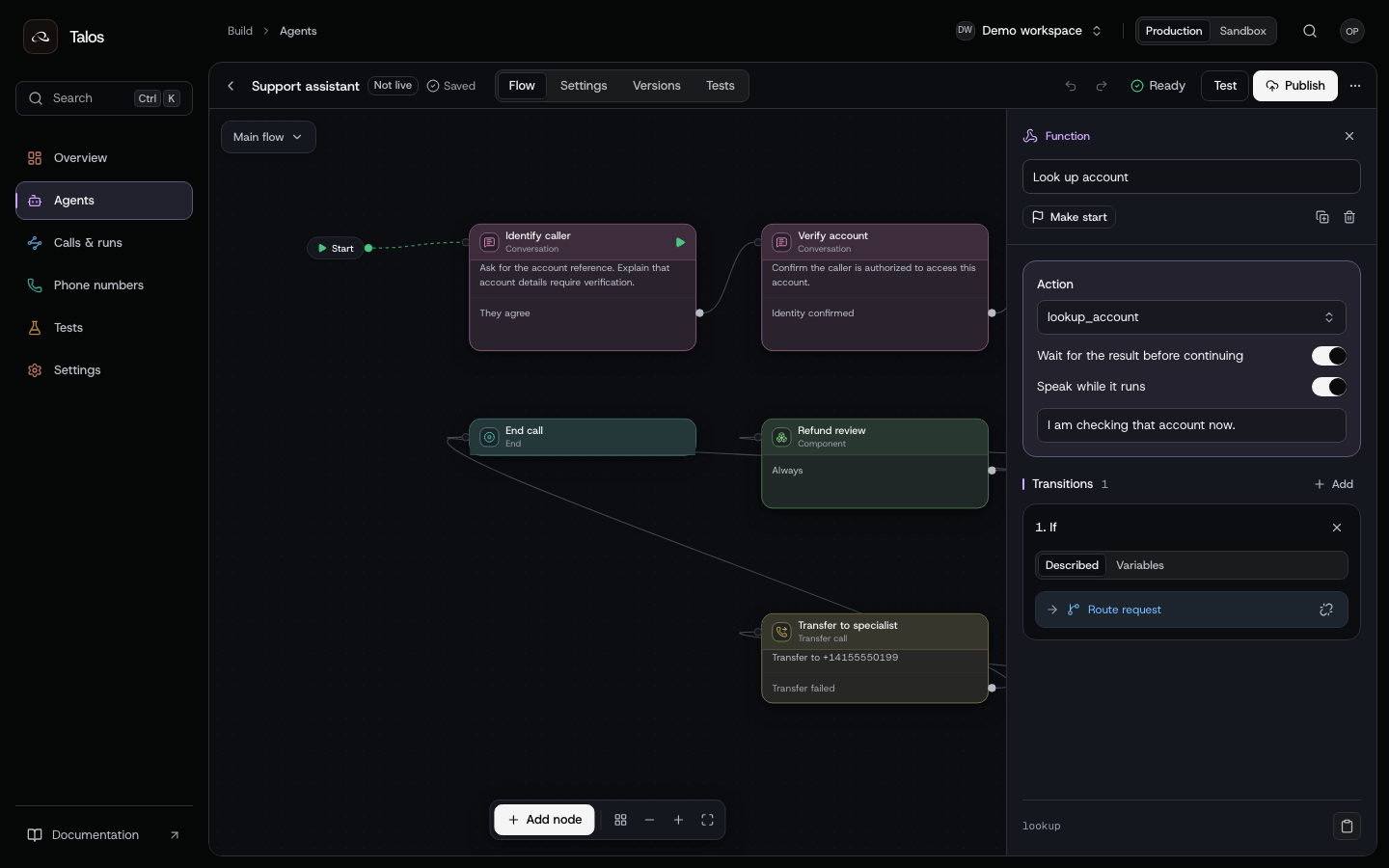
The function node calls a named action. The inspector controls whether the conversation waits and what the agent says while the request runs.
- Open Settings → Actions and define
lookup_account. Supply the HTTPS endpoint, method, input/output schemas, timeout and credential reference. - Add a function node and select that action. Enable Wait for result when the next decision requires its response.
- Choose whether to speak during execution. A short status message can explain a pause without claiming that the request already succeeded.
- Configure response variables and the transitions that consume them. Treat an empty result, an error and an uncertain outcome as separate cases.
- Use a mock response in a simulation. Verify the real endpoint separately with an authorized integration run.
Credentials belong in secrets, not in prompts. Your endpoint still owns authentication, input validation and business authorization. For writes, it must honor the action's idempotency contract. An uncertain outcome is not permission to repeat a charge or other irreversible action blindly.
Read HTTP actions, draft edits and action receipts before building requests from code. The API pages provide the current fields; the example action name above is yours to implement.
Reuse a subflow
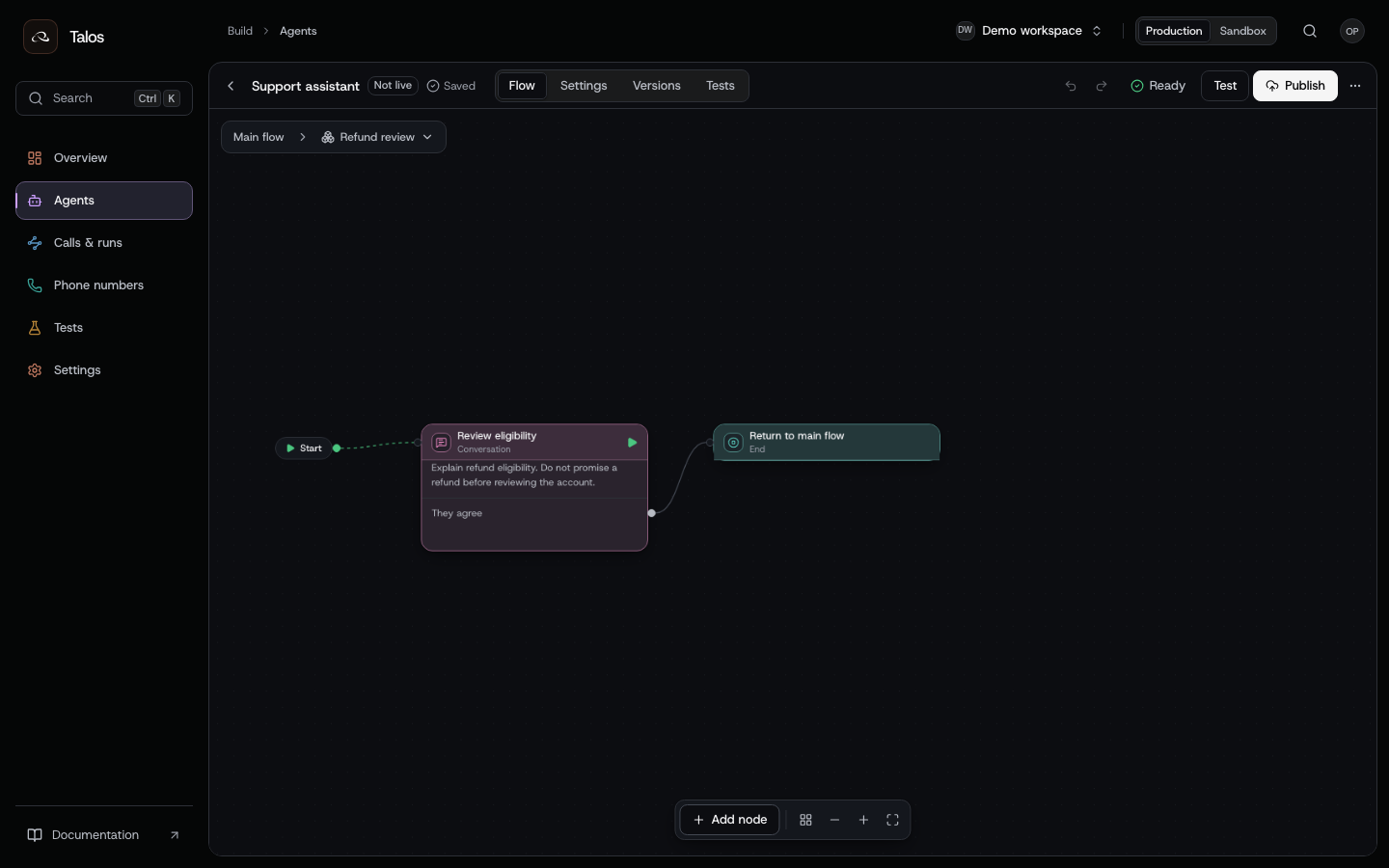
A component separates a reusable conversation from the main graph. Opening it lets you edit that behavior without navigating a crowded canvas.
Use a component for a repeated verification, eligibility review or escalation conversation. Give it a defined entry point and an end that returns control to its caller. Test the component's behavior and the transitions into and out of it; reuse does not make its assumptions valid in every context.
Studio and the draft API edit the same definition. Publishing pins the main flow and its components together, so each run uses the component version you tested.
Ground answers in documents
For policy questions, upload your approved sources through Knowledge and documents, wait for the index to be ready and pin the source documents on the draft. Publish that draft to make the knowledge configuration part of the version.
Keep account facts and policy retrieval separate: the account action reads the customer's record; knowledge retrieval finds supporting policy. Test missing evidence and conflicting sources. Retrieval provides context to the model; it does not guarantee every answer is correct.
Validate, test and release
- Save the draft and run validation. Fix errors; review warnings against the intended behavior.
- Publish a test version with
live: false. Run the regression suite against that exact version. - Inspect failed assertions and tool behavior. Edit the draft, publish another test version and rerun the same suite.
- Promote the tested version with publication promotion. New runs use the live version; existing runs keep their original publication.
- Review a real run using the run investigation guide. A simulation result does not establish carrier connectivity, real tool access or audio quality.
Each run records its publication. When a production issue appears, open that version to inspect the flow and component that executed.